Works with no signal
Sign in once while you have signal. After that Scope Writer opens, writes and saves with none at all, and sends itself when you are back in range. Basements, garages and rural sites included.
On a phone or tablet, room by room, from a library your agency controls. The write-up assembles itself, with the material allowances stamped in, and comes out as the Word document and PDF your contractors bid on. With or without signal.
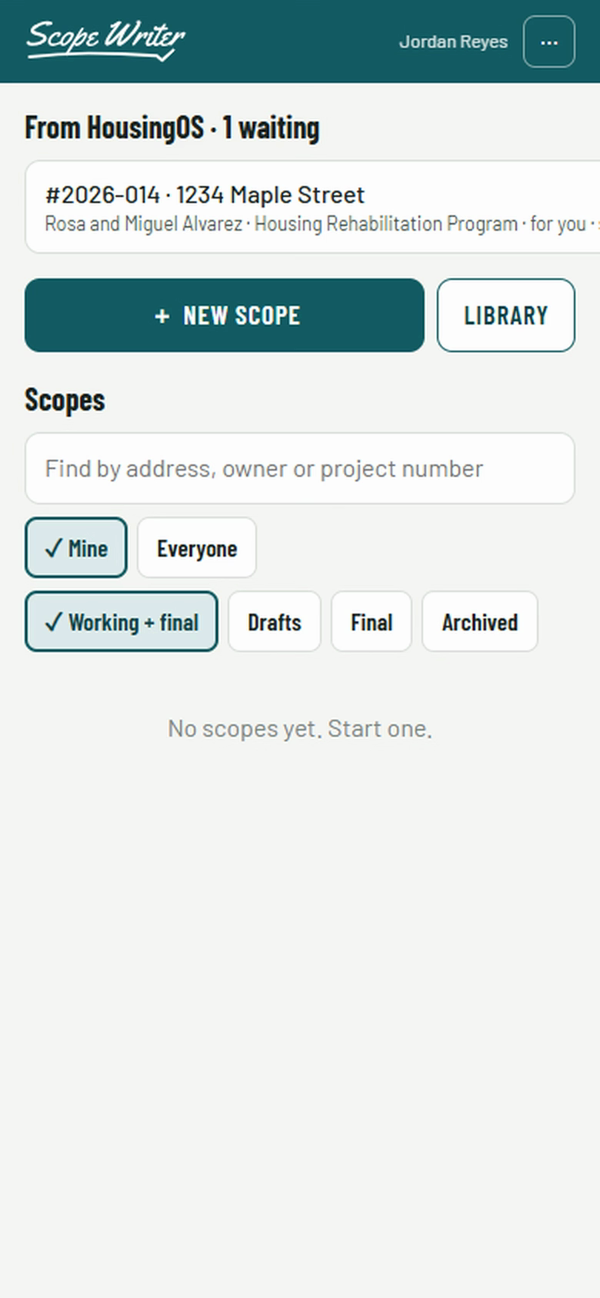
HousingOS sends the project to the Rehab Specialist assigned to it. One tap and the owner, the address and the program are filled in. No HousingOS? Type the address and start.
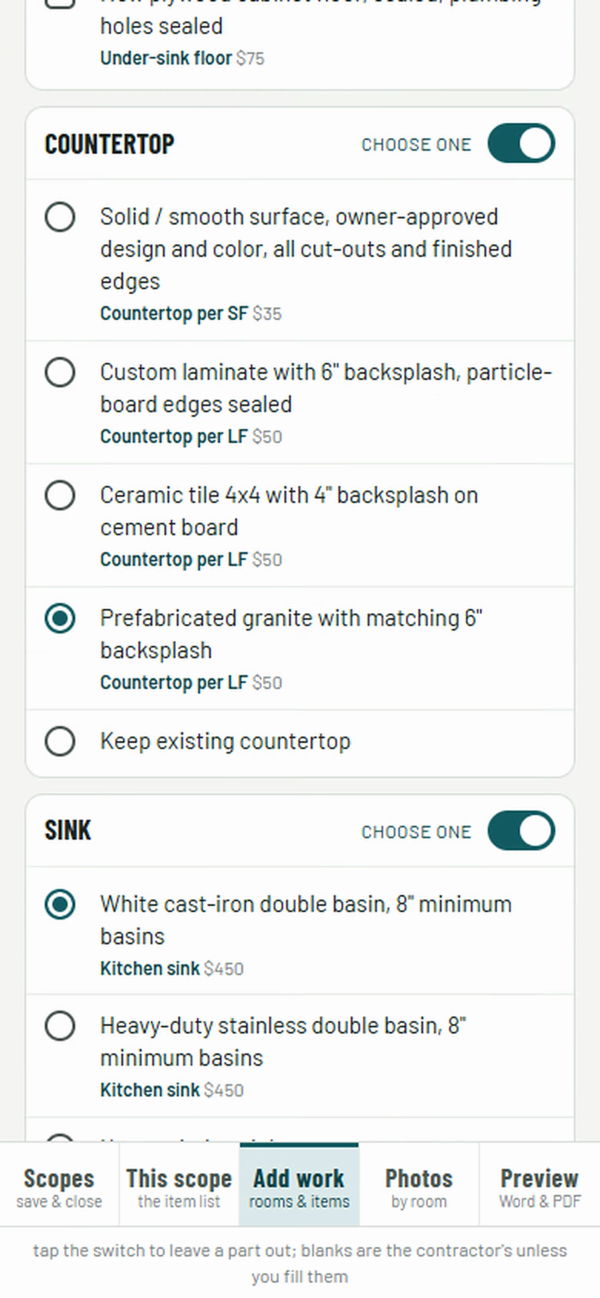
Exterior, interior, garage. Pick the room, then the part: cabinets, countertop, sink, roof, windows. Groups build a whole kitchen or bathroom in one pass; untick what stays.
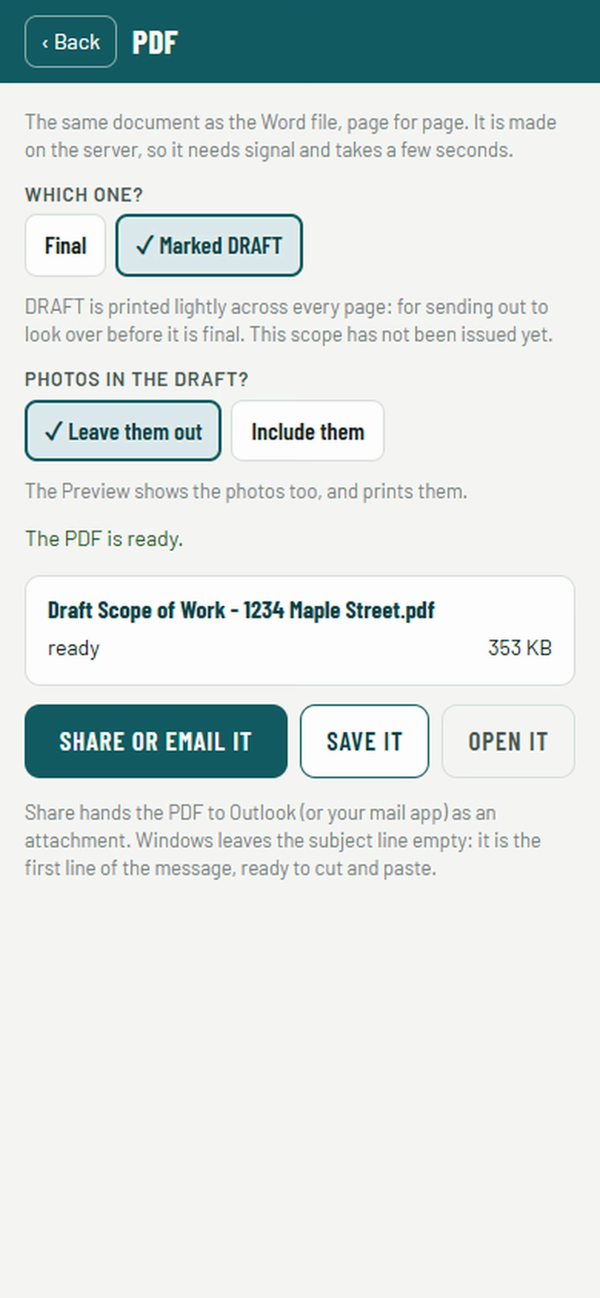
Preview on the spot. Email the homeowner a PDF marked DRAFT from the driveway. Back at the office, produce the final Word document and bid form, page for page the same.
Sign in once while you have signal. After that Scope Writer opens, writes and saves with none at all, and sends itself when you are back in range. Basements, garages and rural sites included.
Your own scope language, broken into parts: not one bathroom entry but the tub, the vanity by size, the toilet, the fan. Add items, copy and modify, retire what you no longer use.
Allowances live beside the item, not buried in the wording, and are stamped into the scope when the item is added. Update the allowance without touching the text; signed scopes never change.
Kitchen Complete, Bathroom Complete, Reroof: sections with choose-one and tick-any parts, a preset for an ADA kitchen, one combined item or separate items each with its own Cost box.
HC, BCV, HA, GPI, LBP on each line, and a recorded reason: health and safety hazard, code violation, failed or beyond its useful life. The final write-up will not print until every item has one.
Justify work with the NSPIRE deficiency line itself, verbatim, and print a complete inspection record with the scope. How it works →
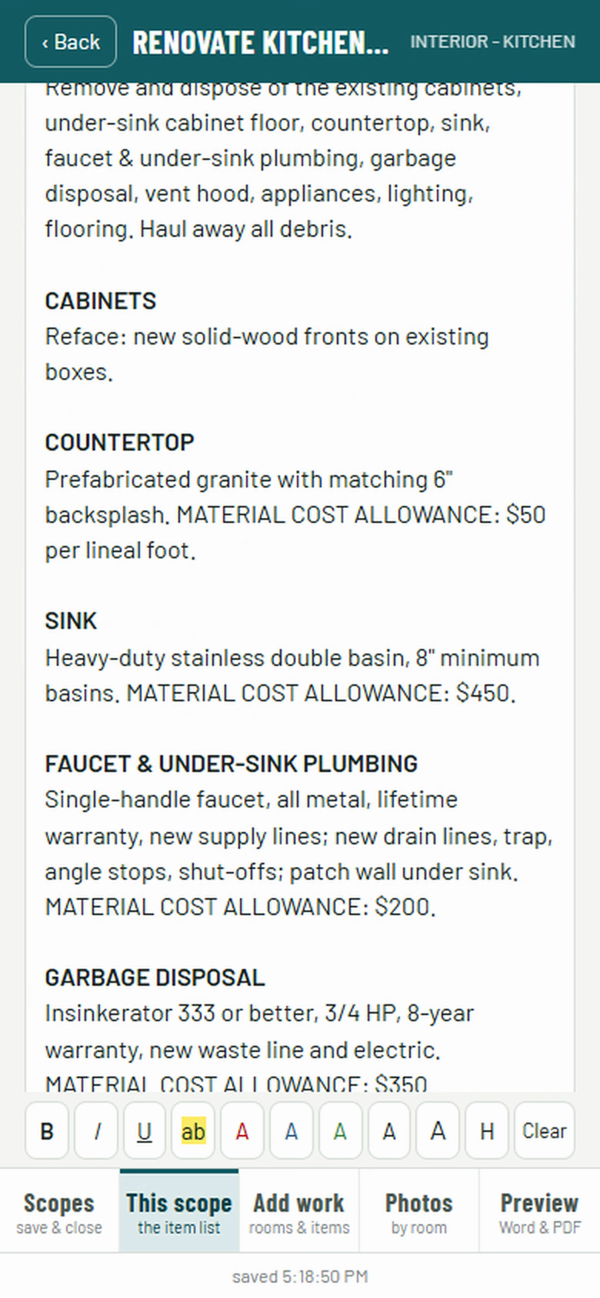
Every line stays editable. Bold a title, highlight what the contractor must not miss, add a sub-heading. The formatting carries through to the Word document.
Take them as you go. They stay with the scope, show in the preview, and print when you want them, never on the bid document.
Materials, labor hours, crew size and your profit-and-overhead rate per item, with permits as a line or folded in. For your file, never printed on the write-up.
Your agency's write-up template, filled on the server: bidder's information, acceptance of terms, standards of quality, the lettered items with Cost boxes and the FINAL TOTAL.
Invite Rehab Specialists by email, set roles, keep several agencies apart. Consultants who administer programs for more than one city switch between them.
Projects arrive from HousingOS and the finished scope goes back. Bids, change orders and payments stay in HousingOS, where they belong. More →
HUD's NSPIRE standard describes deficiencies in plain, specific sentences. Scope Writer puts those sentences on the phone as the reason list. Tap the line that matches what you found, and the item carries it, verbatim, with the NSPIRE component, the room and the severity.
Scope Writer records the inspection; it does not schedule follow-up. The record belongs to the scope and the application.
| Component | Result | Where · severity |
|---|---|---|
| Bathtub / Shower | Pass | |
| Cabinet and Storage | Fail | Kitchen · Moderate |
| Electrical - Conductor | Pass | |
| Elevator | N/A | |
| Leak - Water | Fail | Roof · Severe |
| Roof Assembly | Fail | Exterior · Severe |
| Smoke Alarm | Pass |
Scope Writer fills your agency's own write-up template. The draft goes to the homeowner marked DRAFT on every page. The final carries the Cost boxes, the bid form and the FINAL TOTAL.
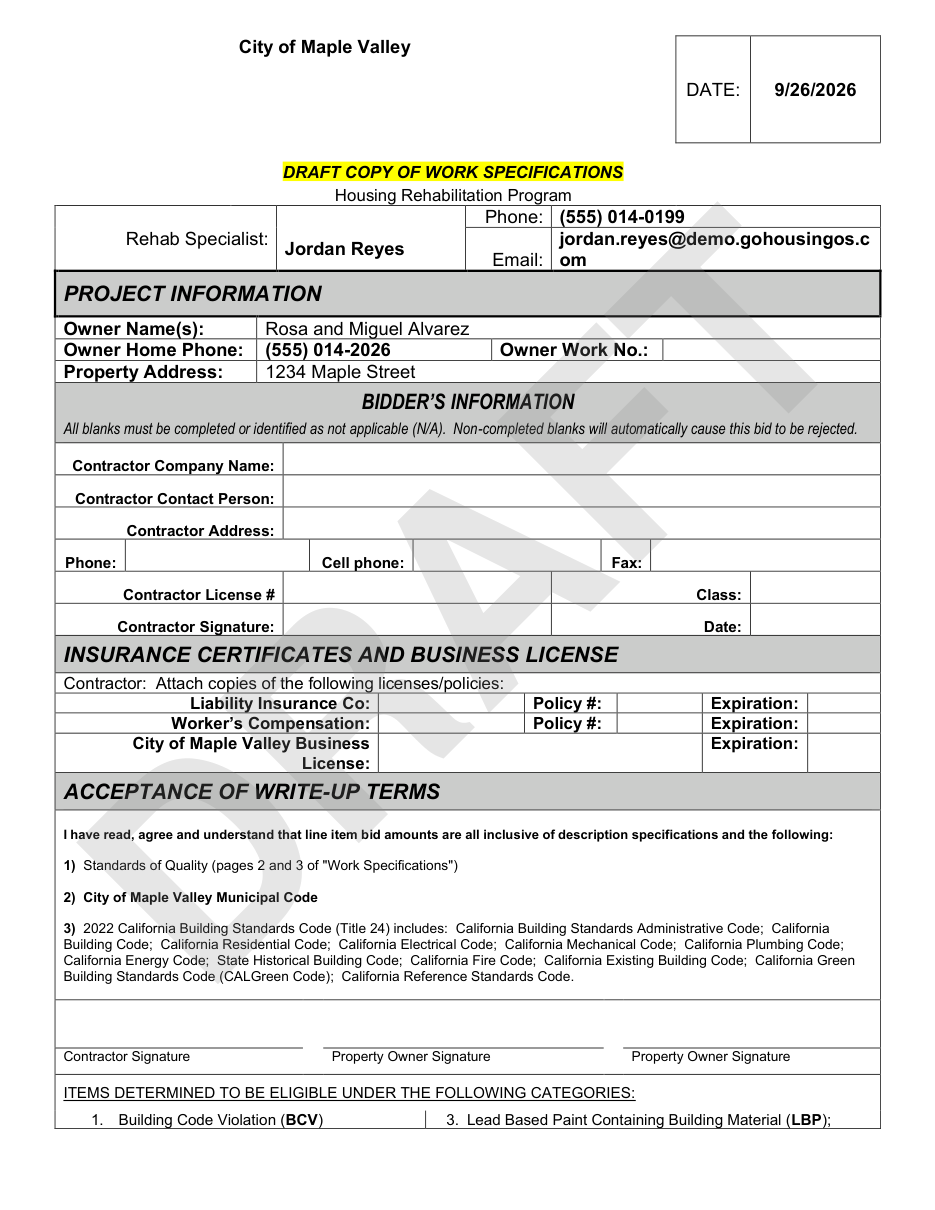
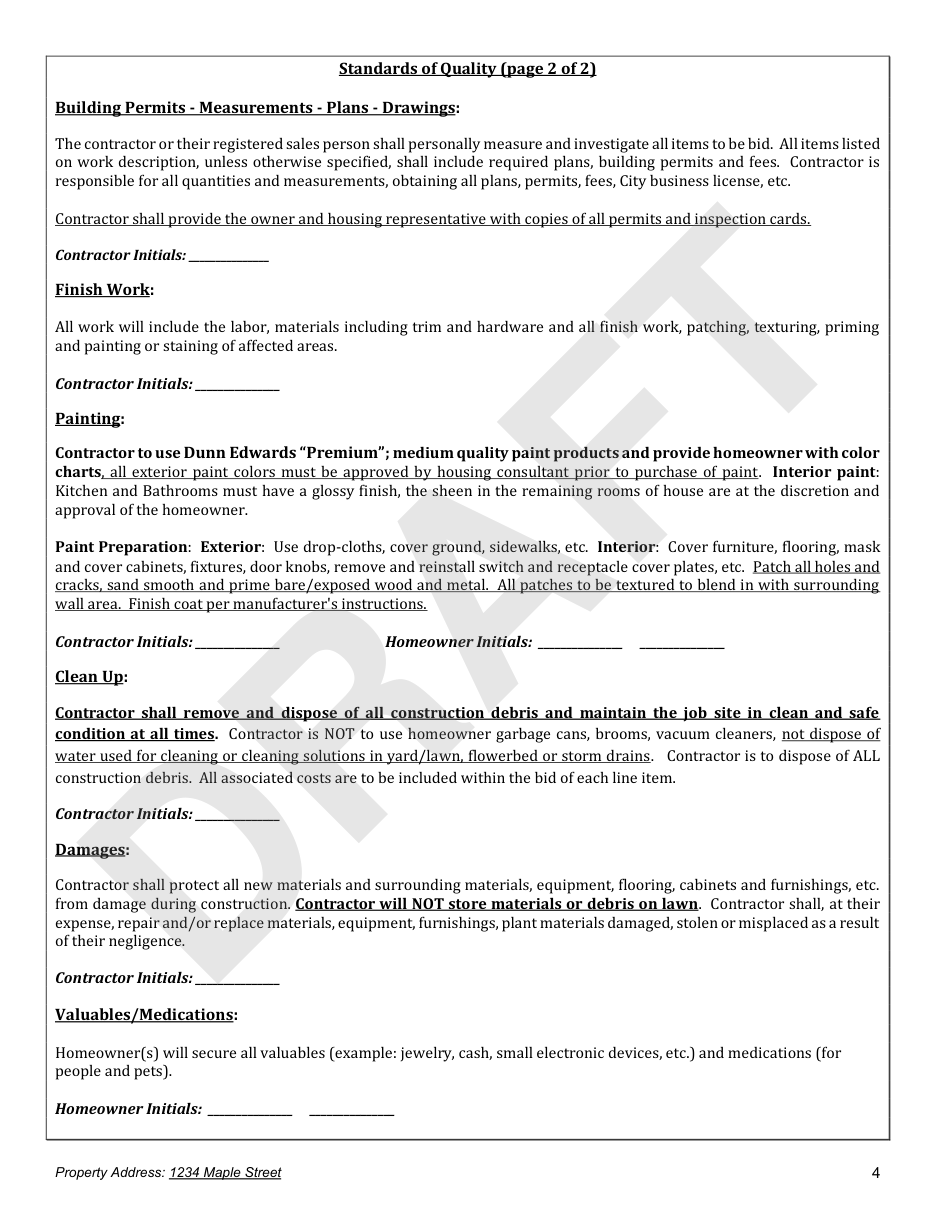
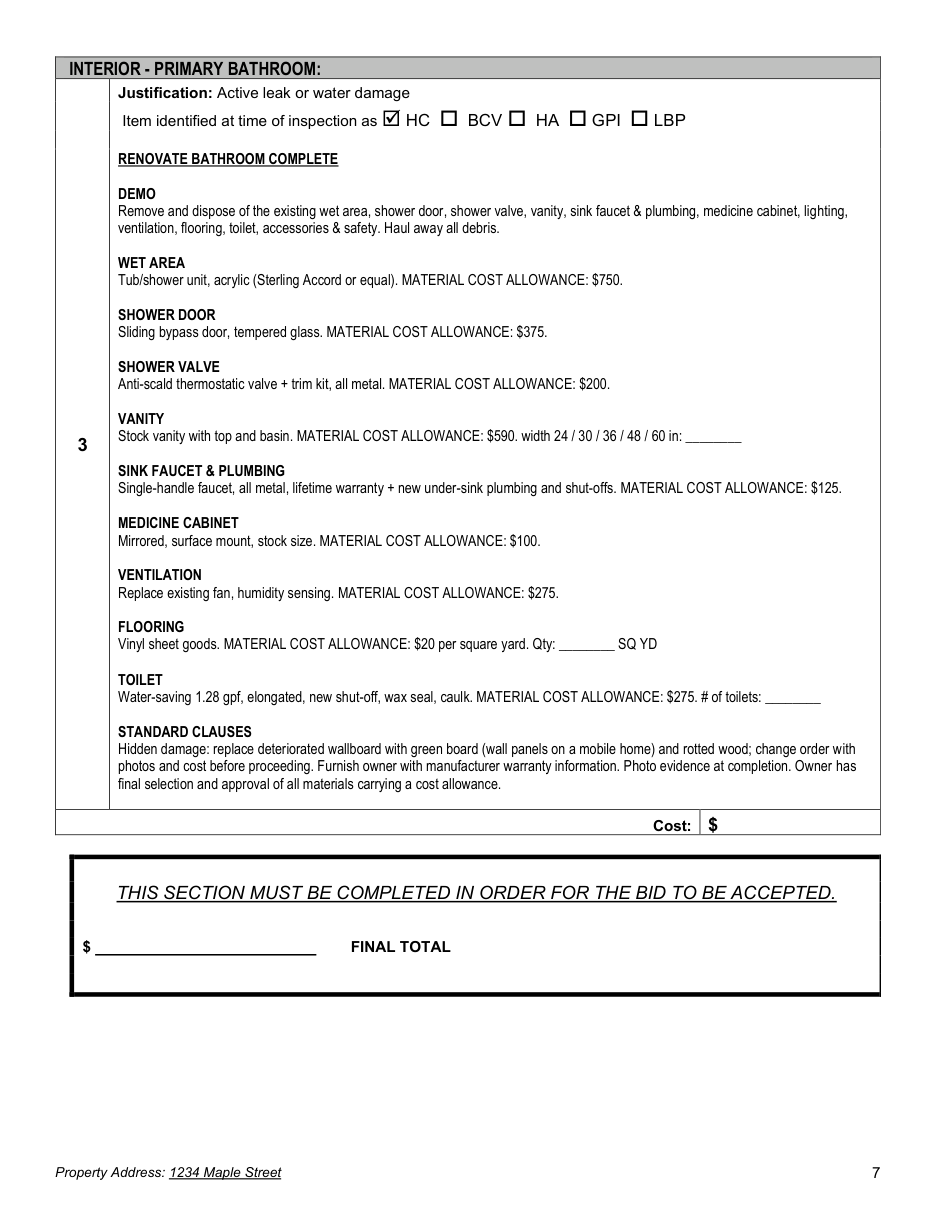
In HousingOS, one button sends an approved project to Scope Writer, addressed to the project's Rehab Specialist. The scope is written at the property and the finished document comes back to the project file. Bid comparison, contracts, change orders and payments stay in HousingOS.
Agencies without HousingOS use Scope Writer on its own: type the address, walk the house, produce the write-up.
Also from Housing Programs Software: ContractorsOS · NSPIREos.
Every agency's programs and library are different, so we quote each agency individually. A live demonstration takes about forty-five minutes on a screen share.